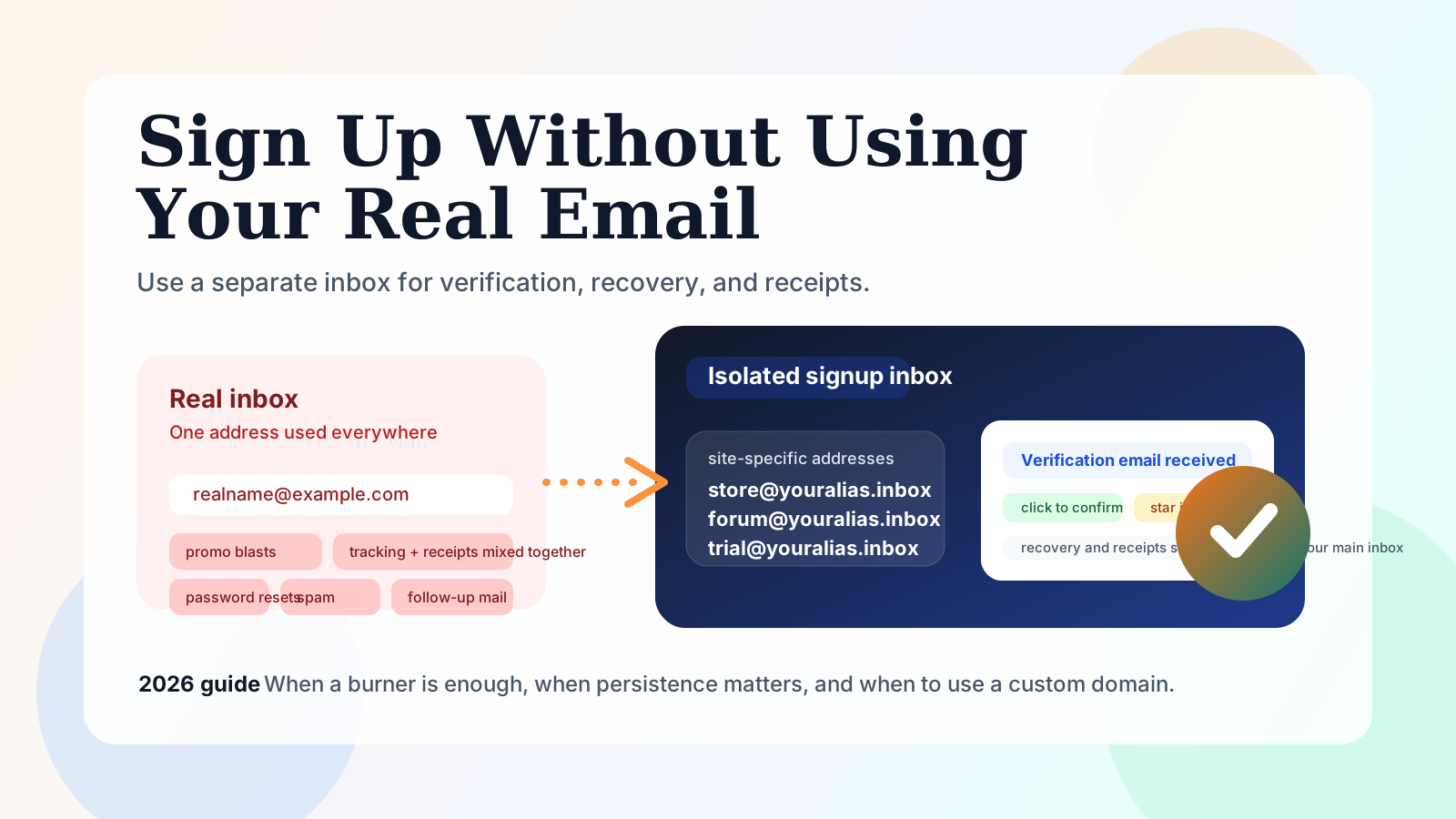
How to Sign Up for Any Service Without Your Real Email (2026)
Yes, you can sign up for many services without giving away your primary inbox, but the right method depends on what kind of account you are creating. If you only need one code right now, a disposable address may be enough. If you may need receipts, password resets, or a second verification email next week, you need a persistent address instead of a timer-based burner.
The practical goal is not "hide from everything." The practical goal is inbox isolation: give each site an address that is separate from your real mailbox, so one signup does not turn into years of spam, tracking, and account-recovery pain.
Editorial note from this July 2026 review: the biggest mistake people make is mixing up sorting with isolation. GitHub's own docs show a standard email-verification loop: the service sends a link, you open the email, and you click to confirm. Google's Workspace help also makes clear that
you+tag@example.comstill lands in your existing inbox. That means plus-addressing can organize mail, but it does not protect your real address from exposure.
The Short Answer
- Use plus-addressing only if you want to sort mail inside your existing inbox.
- Use an alias forwarder if you are comfortable with mail eventually reaching your real mailbox.
- Use a persistent anonymous inbox if you want real separation and still need the address to work later.
- Use a custom-domain address when a site dislikes shared temp-mail domains or when the account matters enough that recovery should stay under your control.
If you want the broader landscape first, start with our honest comparison of temporary and anonymous email services. If you are still unclear on the product categories, this anonymous email vs temporary email explainer is the right foundation.
Step by Step: The Safe Signup Flow
1. Decide how much you care about the account
Ask one question before you paste any address into a signup form:
Will I care if I need this account again in a week, a month, or a year?
If the honest answer is "yes, maybe," do not use a countdown inbox that can disappear before a reset or re-verification email arrives.
2. Generate an address that matches the risk
You have four common options:
| Option | What it does | Best for | Main weakness |
|---|---|---|---|
| Plus-addressing | Adds tags like name+news@example.com |
Filtering inside your own mailbox | Your real inbox is still exposed |
| Alias / forwarder | Hides your public-facing address and forwards mail | Everyday signups when forwarding is fine | Your real inbox stays in the loop |
| Disposable temp inbox | Gives a fast throwaway mailbox | One-off verification | Can expire before you need it again |
| Persistent anonymous inbox | Gives a separate mailbox that does not expire | Signups you may revisit later | More deliberate than a pure burner |
3. Use the address at signup
Paste the address into the site's registration form exactly like a normal email. Then wait for the verification email or magic link.
GitHub's documentation is a good example of how normal this is: a service sends you a verification email with a link, and you confirm the account from that message. That part is not the hard part. The hard part is making sure the same address still exists when you need the next message.
4. Open the inbox and verify immediately
Once the email lands:
- copy the verification code, or
- click the confirmation link, or
- save the message if the account might matter later
This is the moment when a persistent inbox starts beating a classic burner. A one-time inbox solves today's click. A persistent inbox also solves tomorrow's "please confirm again" email.
5. Keep the first important message
For low-value signups, you can let the inbox clean itself up later. For anything you may revisit, keep the first confirmation, receipt, or welcome message. That one email often becomes your easiest proof of account ownership later.
Which Signups Are Green, Yellow, or Red?
Not every account deserves the same email strategy.
| Level | Typical examples | Best email choice | Why |
|---|---|---|---|
| Green | newsletters, coupon downloads, low-stakes community signups | disposable or persistent | losing the inbox later usually does not matter |
| Yellow | shopping sites, gaming accounts, creator tools, SaaS trials | persistent anonymous inbox | receipts, resets, and follow-up verification often matter |
| Red | banking, government, school, healthcare, work SSO | your real recoverable email | identity, compliance, and long-term recovery matter more than inbox isolation |
That yellow middle is where most people get burned. They use a fast burner for an account that felt temporary at signup, then discover later that the site sends:
- a delayed verification email
- a password-reset message
- a billing receipt
- a suspicious-login warning
- a second confirmation after a policy or device change
Four Signup Patterns That Actually Work
The phrase "sign up without email" is misleading. In most cases, you still need an email. What you are really choosing is which kind of email identity to attach to the account.
Pattern 1: Sort inside your current inbox
Use this when:
- you trust your main provider
- you only want cleaner filters
- you do not mind the service knowing your underlying mailbox
This is the plus-addressing pattern. It is fast, free, and useful, but it is not true separation. It is housekeeping.
Pattern 2: Forward into your current inbox
Use this when:
- you want a masked public-facing address
- you still want replies and account mail to end up in your main inbox
- you are okay with one central mailbox remaining the single point of failure
Alias tools are better than plus-addressing for exposure control, but they still keep your real inbox in the system.
Pattern 3: Read mail in a separate persistent inbox
Use this when:
- you want clean separation from your primary inbox
- the account may matter later
- you want to keep signups, codes, receipts, and low-trust registrations out of your main mailbox
This is the sweet spot for many shopping accounts, side projects, gaming accounts, and trial signups.
Pattern 4: Use your own custom domain
Use this when:
- you want the address to look durable and normal
- you are tired of shared throwaway-domain reputation issues
- you want long-term control over naming and recovery
Custom domains are usually overkill for casual signups, but they become very attractive once you create lots of isolated addresses or keep hitting sites that dislike public temp-mail domains.
Why Classic Burner Mail Breaks Later
The problem with burner mail is not that it is "bad." The problem is that it is optimized for a narrower job than people actually have.
A classic timer-based temp inbox is great when all of these are true:
- you need exactly one message
- you need it right now
- you know you will never need the address again
The moment one of those assumptions fails, the trade-off changes.
Failure mode 1: the verification email arrives late
Some services send instantly. Others do not. If a countdown inbox expires first, the signup is dead even if the service itself is working normally.
Failure mode 2: the site asks you to come back later
This is more common than people expect. Reset links, suspicious-login checks, payment confirmations, and account-ownership emails all arrive after the initial registration moment.
Failure mode 3: shared disposable domains get screened
You do not need conspiracy theories here. Many signup stacks and fraud controls already distinguish between ordinary email domains and shared throwaway patterns. When that happens, the problem is usually not "email verification failed." The problem is "the address itself looks disposable."
Failure mode 4: everything still reaches your real inbox
This is the plus-addressing trap. Google's own help is explicit: add a plus sign and the mail still lands in your current inbox. That is useful for filters, but it does not reduce exposure. It only labels exposure better.
If your real concern is long-term protection, why anonymous email matters is the bigger strategic frame, and these email privacy best practices help once you are ready to clean up the rest of your stack.
Where Inboxto Fits
Inboxto is strongest in the exact middle ground that burner mail handles badly: signups you want to keep separate from your real inbox, without sacrificing recovery later.
Based on the current product copy in this repo, the practical setup looks like this:
- No registration required to start using an address
- 3 persistent addresses on the free plan
- 7-day regular retention on free
- 5 permanently saved starred messages on free
- 5 AI summaries per day on free
- Premium at $6.99/month or $67.99/year for unlimited addresses, 90-day retention, unlimited starred saves, unlimited AI summaries, custom domains, and API access
That creates a better signup workflow for yellow-zone accounts:
- you can isolate the account from your real inbox
- you can still receive follow-up emails later
- you can star the first important verification or receipt
- you can move to a custom domain when a shared temp-mail domain is not enough
The honest limitation matters too: Inboxto is an email product, not an SMS bypass product. If a site requires a phone step that it controls, this guide does not magically remove that step.
Free Persistent Address or Custom Domain?
This is the decision most readers actually care about after they stop using timer-based burner mail.
| Choose this | When it is enough | When to level up |
|---|---|---|
| Free persistent address | you want to protect your real inbox, keep the account reachable, and stay simple | the site rejects shared temp-mail patterns or you want many isolated addresses |
| Premium persistent setup | you need more address volume, longer retention, starred storage, and AI summaries at scale | you are managing a serious signup workflow across multiple services |
| Custom domain | you want maximum control, cleaner deliverability, and a long-term naming strategy | you are doing lots of signups, account isolation, or developer workflows |
For many people, the smartest path is gradual:
- start with a persistent free address
- see which signups keep generating useful mail
- save the first important messages
- move higher-value or blocked signups to a custom-domain setup later
That avoids paying for complexity before you need it, while still fixing the real problem: your primary inbox no longer has to be the address you hand to every random site on the internet.
Troubleshooting: When the Signup Does Not Go Smoothly
The verification email never shows up
Start with boring causes before assuming the site blocked you:
- refresh and wait a bit longer
- resend the email once
- double-check that you copied the address correctly
- search for the sender name, not just the subject line
If the site is important and the delay keeps happening, switch from a countdown inbox to a persistent address.
The site rejects the address at the form level
That usually means you should stop trying different public throwaway domains and switch to:
- a persistent private address, or
- your own custom-domain address
If the account matters, this is not a defeat. It is a signal that the site expects a more durable identity layer.
You realize later that you need recovery
This is the classic mistake. If the account already matters, do not keep treating it like a throwaway. Save the earliest proof-of-account emails and move future important signups to a persistent model.
When You Should Not Hide Behind a Throwaway Address
There are accounts where the cleanest advice is simply: use your real recoverable email.
Do that for:
- banking and payment accounts
- work or school identity systems
- legal-name or compliance-heavy services
- healthcare portals
- any account where support may need to verify long-term ownership
The rule is simple: privacy tools should reduce inbox exposure, not make high-value recovery harder.
A Practical Decision Rule
Use this shortcut:
- Need one code in the next five minutes? A disposable inbox can be fine.
- Need a separate identity you may still need next month? Use a persistent anonymous inbox.
- Need better deliverability or cleaner long-term control? Use a custom domain.
- Need regulated identity and formal recovery? Use your real primary email.
That is the real 2026 answer. The best method is not the most anonymous-looking one. It is the one that matches the lifespan of the account you are creating.
If you want to test the persistent route without exposing your primary inbox, try Inboxto. The free tier is enough to prove the workflow. Upgrade only when you actually need more addresses, longer retention, or custom domains.