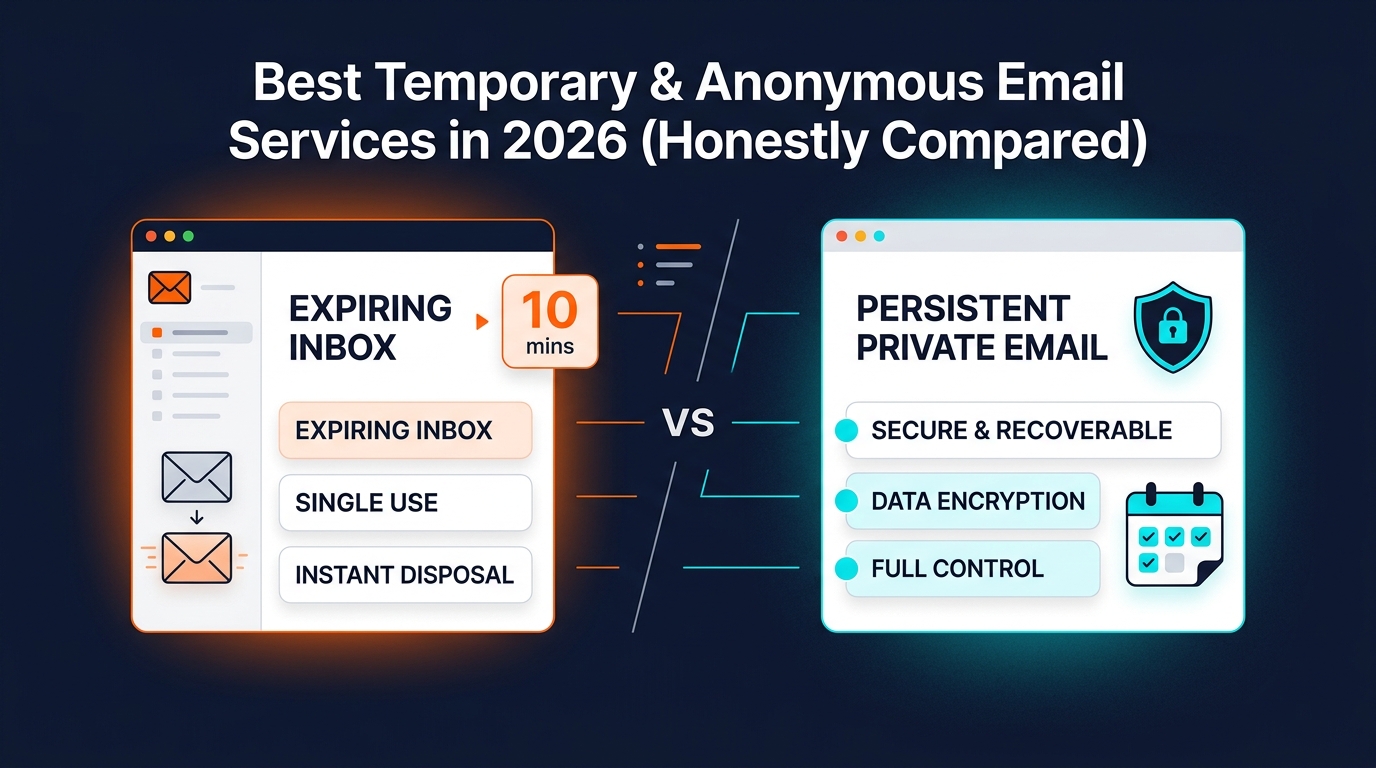
Best Temporary & Anonymous Email Services in 2026 (Honestly Compared)
If you only need one answer, here it is: the best temporary email service for a one-off code is still a fast disposable inbox, but the best option for anything you may need again next week is a persistent anonymous address. Most "best temp mail" lists blur those two categories together, which is exactly how people end up locking themselves out of accounts later.
The Short Answer
- Choose 10MinuteMail if you need a code right now and know you will never need that inbox again.
- Choose Mailinator if your use case is public QA or developer testing, not personal privacy.
- Choose SimpleLogin if you want an open-source alias service that forwards into your real mailbox.
- Choose Apple Hide My Email if you live fully inside Apple's ecosystem and already pay for iCloud+.
- Choose Inboxto if you want the no-signup convenience of temp mail, but you also want the address to stay usable for future logins, resets, receipts, and follow-up verification.
What Most "Best Temp Mail" Lists Get Wrong
The first mistake is category confusion.
There are really three different products hiding under the same search intent:
- Disposable inboxes: you get a mailbox you read directly, but it is usually short-lived or built for throwaway use.
- Alias/forwarder tools: you do not get a real inbox; messages are forwarded into a mailbox you already own.
- Persistent anonymous inboxes: you read the mail directly like temp mail, but the address stays available instead of disappearing on a timer.
If you want a deeper explanation of that split, read this breakdown of anonymous email vs temporary email. It is the mental model that makes the rankings below make sense.
Editorial note from the Inboxto team: while reviewing these 12 services side by side, the biggest real-world difference was not price. It was whether the address still works when a site asks for a password reset, billing receipt, or re-verification email later. That single question changes which tool is actually "best."
How I Judged These Services
I scored each option against the things that matter in real use, not just in a screenshot:
- Does the address expire?
- Do you need to sign up before you can use it?
- Do you read mail in a direct inbox, or is it only forwarded elsewhere?
- Can you use your own domain or custom address?
- Does it support reply or API workflows?
- Does it work for short-term OTPs only, or for accounts you may revisit?
For factual product labels, I checked each vendor's public product or help pages: Temp-Mail, 10MinuteMail, Guerrilla Mail, Mailinator, SimpleLogin, Firefox Relay, DuckDuckGo Email Protection, Apple Hide My Email, Cloaked, YOPmail, and Google's plus-addressing documentation for Gmail users: Google Workspace Help.
Honest Comparison Table
| Service | Model | Expiry | Signup needed | Custom domain | Reply | API | Language fit | Price snapshot | Best for |
|---|---|---|---|---|---|---|---|---|---|
| Temp-Mail.org | Disposable inbox | Temporary / rotating | No | Premium | Receive-focused | Premium | Multilingual web UI | Free + Premium | Fast one-off signups |
| 10MinuteMail | Disposable inbox | 10 minutes, extendable | No | No | No | No | English-first | Free | One instant verification code |
| Guerrilla Mail | Disposable inbox | Short-lived mail | No | Yes | Yes | Not advertised | English-first | Free | Quick throwaway use with send support |
| Mailinator | Public inbox / paid private inbox | Short retention on public mail | No for public, yes for private plans | Enterprise-focused | Limited | Paid plans | English-first | Free public + paid plans | QA, demos, testing teams |
| SimpleLogin | Alias forwarder | Persistent | Yes | Yes | Yes | Yes | Multilingual | Free + paid | Open-source aliasing into your real mailbox |
| Firefox Relay | Alias forwarder | Persistent | Yes | Premium subdomain options | Forwarding workflow | No public API | Multilingual | Free + Premium | Firefox users who want masked addresses |
| DuckDuckGo Email Protection | Alias forwarder | Persistent | Existing mailbox required | No | Forwarding workflow | No public API | Multilingual | Free | Tracker stripping before mail reaches your inbox |
| Apple Hide My Email | Alias forwarder | Persistent | Apple ID + iCloud+ | No | Yes | No public API | Multilingual | Included with iCloud+ | Apple-first users |
| Cloaked | Identity vault with masked email | Persistent | Yes | No | Yes | No public API | English-first | Paid | All-in-one privacy suite |
| Gmail "+" trick | Inbox aliasing inside Gmail | Persistent | Gmail required | No | Yes | Gmail APIs exist, but not temp-mail-specific | Multilingual | Free with Gmail | Low-stakes tagging in one inbox |
| YOPmail | Public disposable inbox | 8 days for messages | No | No | No | No public API | English/French-centric | Free | Quick public throwaway checks |
| Inboxto | Persistent anonymous inbox | Address does not expire | No | Yes | Receive-only | Yes | 32 languages | Free + $6.99/mo Premium | Signups you may need again later |
My Rankings and Verdicts
1. Inboxto
Best for: people who want the convenience of temp mail without the usual account-recovery trap.
Inboxto is the most balanced option in this list because it covers the use case most people actually have: "I do not want to use my real address, but I may need this account again." The address does not expire, so verification links, receipts, password resets, and later re-verification messages are still reachable. That is the exact gap classic burner inboxes leave open.
Its other advantage is that it combines several normally separate tools into one workflow: no-signup access, a persistent inbox, starred messages that stay saved, AI summaries for quick triage, Telegram Mini App access, custom domains, API access, and 32-language support. From the product copy in this repo, the free tier already includes 3 persistent addresses, 7-day message retention, 5 permanently starred messages, and daily AI summaries, while Premium at $6.99/month unlocks unlimited addresses, 90-day retention, unlimited starred saves, custom domains, and API access.
That mix makes Inboxto a better fit than classic disposable inboxes for:
- app or web signups you may revisit later
- shopping accounts where you need receipts
- newsletters you want isolated but not lost
- product testing where you need stable inboxes
The honest limit: Inboxto is a receive-only inbox, so if your core need is sending or replying from aliases, a forwarder like SimpleLogin can still be a better category fit.
2. 10MinuteMail
Best for: the fastest possible one-time verification.
10MinuteMail wins on clarity. It tells you exactly what it is: a mailbox that lasts 10 minutes, with an option to extend the timer. If your job is "I need one code, right now, and I will never come back," this is still one of the cleanest choices on the web.
Its weakness is also its whole design. The countdown model breaks the moment the email is delayed, the signup requires a click later, or the service sends a follow-up confirmation hours after registration. That is why 10MinuteMail is excellent for a narrow task and poor for any account with a future.
Verdict: best pure throwaway tool, but not a sustainable identity.
3. Temp-Mail.org
Best for: users who want a polished disposable inbox with paid upgrades.
Temp-Mail is one of the biggest names in this category because it is simple, fast, and easy to understand. Its official product pages emphasize temporary addresses, Premium upgrades, and API access, which already tells you its sweet spot: quick disposable use plus some paid convenience features.
Where it is weaker than a persistent anonymous inbox is long-term reliability. You can move quickly, but the service is still built around temporary inbox behavior. That makes it fine for flash signups and much less attractive for accounts where you care about recovery, ownership, or long-lived notifications.
Verdict: a strong mainstream disposable tool, but still best treated as disposable.
4. SimpleLogin
Best for: open-source users who want aliasing, forwarding, and reply-from-alias workflows.
SimpleLogin is a genuinely strong product and deserves credit where many marketing roundups refuse to give it. It is open-source, it supports custom domains, and it is built for users who want masked addresses that forward into a real mailbox they already trust. For privacy-minded power users, that is a serious advantage.
The catch is category fit. SimpleLogin is not a standalone inbox you can browse anonymously without account setup. It is an alias network attached to a mailbox you own. If that is what you need, it is one of the best options here. If you specifically want a separate inbox identity that is not tied back into your primary mailbox, it is the wrong model.
Verdict: best open-source alias tool; not the best choice if your goal is mailbox separation rather than forwarding.
5. Mailinator
Best for: public test workflows, QA teams, demos, and automation.
Mailinator remains one of the most useful tools in developer workflows because it embraces a model many other services avoid saying aloud: public inboxes are public. That is perfect for test accounts, shared QA steps, or demo flows where privacy is not the point. Paid tiers add private inboxes and API workflows that make it more serious for teams.
It is a weak choice for personal privacy because public inboxes are guessable and intentionally not private. That is not a flaw in its product design. It is simply a different job.
Verdict: outstanding for testing, poor for personal account privacy.
6. Apple Hide My Email
Best for: people already committed to Apple hardware and iCloud+.
Hide My Email is one of the smoothest user experiences in the list. Apple integrates it into Safari, apps, and account creation flows, which means it feels almost invisible when you use it. If you are all-in on Apple devices, that convenience matters.
The trade-off is lock-in. The feature lives inside the Apple ecosystem, ties back to your Apple ID, and requires iCloud+. That makes it elegant for Apple users and less compelling for mixed-device households, Android users, or anyone who wants a platform-neutral privacy layer.
Verdict: excellent inside Apple; much less flexible outside it.
7. Firefox Relay
Best for: Mozilla users who want lightweight masked forwarding.
Firefox Relay is another good alias-style product. It gives masked addresses that forward into your real inbox, and Mozilla positions it as a privacy layer for everyday signups. If your main goal is to reduce exposure of your primary address while keeping everything inside your existing mailbox, Relay makes sense.
Its limitation is the same one that affects most forwarders: you still depend on your real inbox underneath. That means it improves exposure, but it does not create a truly separate place for reading or organizing these emails.
Verdict: good forwarding tool, not a direct-inbox replacement.
8. DuckDuckGo Email Protection
Best for: tracker removal before messages hit your real inbox.
DuckDuckGo Email Protection has a clear proposition: give sites a Duck address, let DuckDuckGo strip many trackers, and have the cleaned message forwarded into your personal inbox. That is useful if your primary concern is surveillance in commercial email.
It is less useful if you want a true standalone inbox, a custom domain, or a distinct login identity that is not chained to your main mailbox. This is a privacy filter, not a replacement inbox.
Verdict: strong on tracker reduction, limited as a separate identity tool.
9. Guerrilla Mail
Best for: classic disposable-mail users who sometimes want send support.
Guerrilla Mail is one of the old names in temp mail, and it still has a few real strengths: no signup, quick access, and features like scrambled addresses and sending mail. That keeps it relevant for throwaway workflows and light experimentation.
Its downside is that it feels like an older generation of disposable mail: shared-domain reputation, a less polished mobile experience, and the same long-term recovery problem that affects short-lived inboxes in general.
Verdict: still useful for fast disposable work, but it shows its age.
10. Cloaked
Best for: people shopping for a broader identity-protection suite, not just email.
Cloaked is a different beast from most services here. It packages masked email, phone numbers, and broader identity protection into one paid product. If that is your exact use case, it can be appealing.
But many readers landing on "best temporary email" pages do not actually need a privacy vault. They need a fast, cheap, focused email tool. That is where Cloaked can feel heavier than necessary.
Verdict: potentially valuable as a suite, but overbuilt for simple temp-mail jobs.
11. YOPmail
Best for: quick public inbox checks where privacy is not critical.
YOPmail is still widely known because it is frictionless: no signup, memorable addresses, and fast access. The official site also notes an 8-day message window, which is longer than the timer model of many disposable tools.
The problem is that predictability cuts both ways. Public-style inbox behavior makes it a poor fit for anything sensitive, and the overall experience feels much more like a utility from the older disposable-mail web than a modern privacy product.
Verdict: workable for fast throwaway checks, not ideal for anything you care about.
12. Gmail "+"
Best for: organizing low-risk signups inside an inbox you already own.
The Gmail plus trick is not a temporary email service. It is a tagging trick. Mail sent to yourname+shopping@gmail.com still lands in your same Gmail inbox. That makes it useful for lightweight filtering, leak tracing, and segmentation, but it does not protect your underlying mailbox identity the way a separate service does.
It also does nothing for people who want separation from their main inbox, not just better labels inside it.
Verdict: handy tactic, wrong category for most people searching "temp mail."
Why Disposable Email Often Fails Later
This is the problem too many review pages hide under the table.
Disposable inboxes are great when the timeline is measured in minutes. They become risky when the timeline is measured in weeks or months. Here is where users typically get burned:
- the platform sends a delayed verification email
- the service asks for a password reset later
- an order receipt, billing notice, or dispute email arrives after the initial signup
- a shared disposable domain is rejected at registration
That is why "free temp email" and "best email for account signups" are not automatically the same search outcome. If the account matters even a little, persistence suddenly matters a lot.
If your real goal is reducing long-term exposure of your personal mailbox, why anonymous email matters is a better framing than thinking only about disposable mail.
The Core Wedge: Where Inboxto Is Different
Inboxto is interesting because it bridges the gap between categories instead of forcing you to choose one extreme.
It keeps the advantages that make disposable mail attractive:
- no signup to start
- quick address creation
- isolation from your real inbox
But it removes the two biggest reasons disposable mail fails in real life:
- The address does not expire, so later verification and recovery still work.
- Custom domains and custom addresses are available on Premium, which gives you a path when shared temp-mail domains are not the right fit.
On top of that, Inboxto adds the kind of workflow polish most throwaway services skip:
- star important messages so they stay saved
- AI email summaries for noisy or long messages
- Telegram Mini App access with no separate app install
- API access for automation
- 32-language support for global users
That is why I would not rank it as the "best burner." I would rank it as the best persistent anonymous inbox in this comparison.
Which Service Should You Choose?
Use this quick decision flow:
Choose a classic disposable inbox if:
- you only need one code
- you do not care about returning later
- you do not mind losing the mailbox
- the signup is low-risk and short-lived
Choose an alias/forwarder if:
- you want everything to land in your main mailbox
- you reply from aliases often
- you already trust your primary mailbox
- you care more about masking than about inbox separation
Choose Inboxto if:
- you want to protect your real address
- you may need the account again next month
- you want a direct inbox instead of forwarding
- you want a path to custom domains and API use later
My Final Ranking
- Inboxto for the best balance of privacy, persistence, and usability
- 10MinuteMail for the fastest one-off verification
- Temp-Mail.org for mainstream disposable convenience
- SimpleLogin for open-source aliasing
- Mailinator for developer and QA workflows
- Apple Hide My Email for Apple-only users
- Firefox Relay for lightweight forwarding
- DuckDuckGo Email Protection for tracker stripping
- Guerrilla Mail for classic disposable use
- Cloaked for full identity-suite buyers
- YOPmail for public throwaway checks
- Gmail "+" as a useful tactic, but not a real temp-mail service
A Practical Rule for 2026
Ask one question before you pick a service:
Will I be annoyed if I need this email address again in 30 days?
If the answer is yes, stop choosing tools built to disappear.
For the broader privacy side of the decision, this companion guide on email privacy best practices is worth reading next.
Try the Safer Version of Temp Mail
If you want the convenience of temporary email without losing future access to the account, try Inboxto at h5.inboxto.app. The free tier is enough to test the model, and the Premium tier only makes sense when you need heavier usage, custom domains, or API workflows.
That is the honest conclusion of this comparison: the "best" temporary email service depends less on branding and more on whether you need a mailbox for five minutes or for the life of the account.