How to Receive Verification Codes Online Without Your Real Email
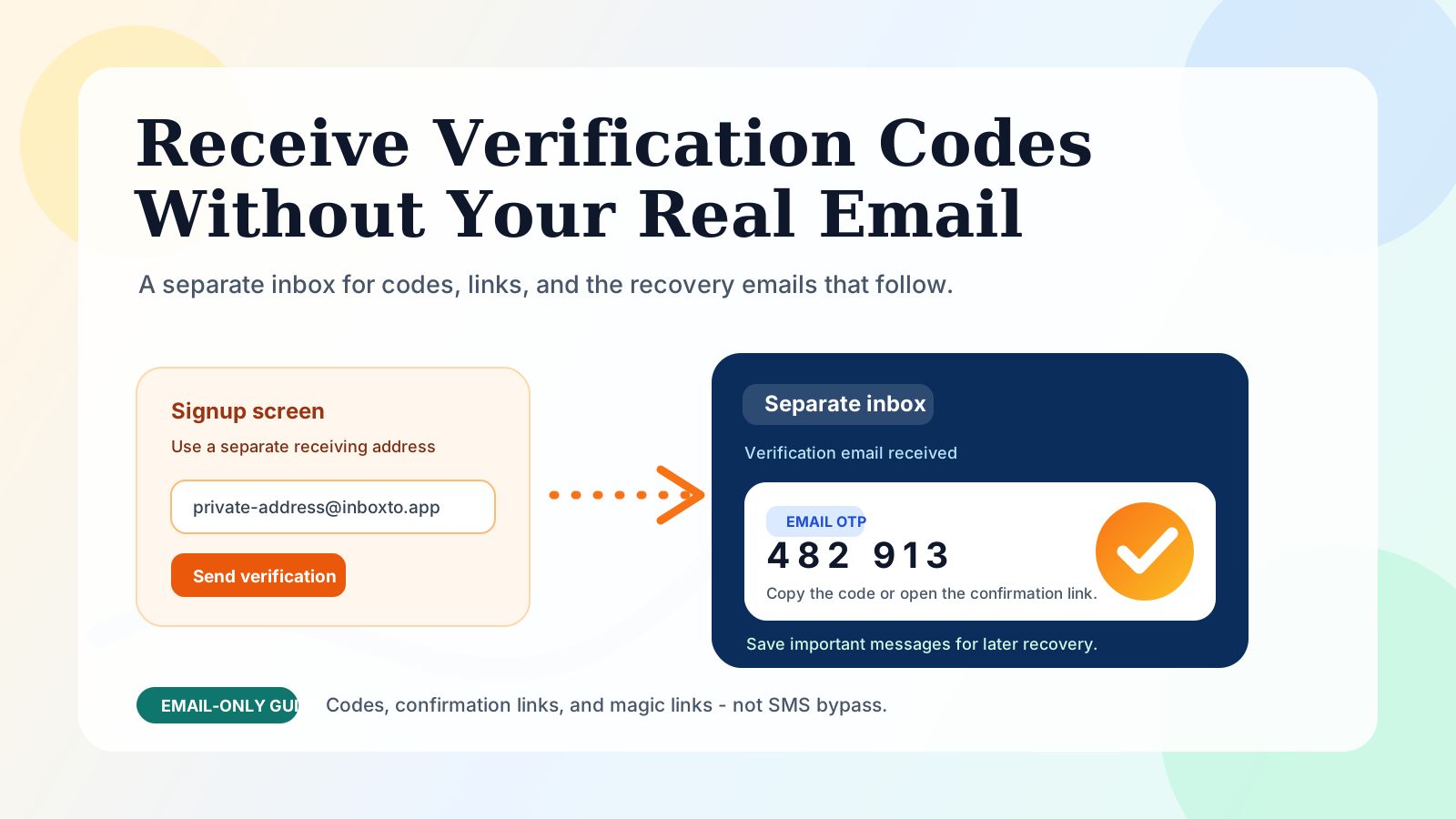
You can receive an email verification code without handing a new service your primary address: use a separate inbox that you can still access, enter that address at signup, then copy the code or open the confirmation link from that inbox. The important distinction is not whether the address looks temporary. It is whether you will still control it if the service asks you to verify again later.
That matters because the first code is rarely the whole story. A service can send a numeric one-time password (OTP), a clickable confirmation link, a password-reset email, or a later security check. A timer-based inbox can be adequate for a genuinely disposable task. For an account you may return to, a persistent separate address is usually the safer choice.
Editorial observation, reviewed July 2026: Treat email verification as the first recovery event, not merely a form-field hurdle. The address that receives today's code may be the address that receives a reset link months later. GitHub's own verification instructions illustrate the normal flow: it emails a verification link, and the account is verified after that link is opened. GitHub Docs
The short answer: choose the inbox by account lifespan
Use this decision rule before you request a code:
| If you need... | Best fit | Why |
|---|---|---|
| One low-stakes code right now | A disposable inbox can be enough | You do not expect a later reset or ownership check |
| A separate identity you may need again | A persistent anonymous inbox | The same address remains available for later mail |
| A stable address under your own naming control | A custom-domain inbox | Useful when you need more control over the address and delivery setup |
| Banking, work, school, healthcare, or government access | Your real recoverable address | Privacy is important, but losing a formal recovery channel is worse |
This is an email-only guide. It explains email OTPs, email verification links, and magic links. It does not provide SMS receiving, phone-number verification, or a way to bypass a platform's own verification rules.
If you need the broader choice between anonymous and disposable mail first, read anonymous email vs temporary email. For a wider signup strategy, see how to sign up without your real email.
What an email verification code actually does
An email verification step proves that the person using an address can read mail sent to it. The usual sequence is simple:
- You enter an email address on a signup or security screen.
- The service sends either a short numeric or alphanumeric code, or a link with a one-time token.
- You open the receiving inbox.
- You copy the code into the site, or open the link in the appropriate browser session.
- The service marks the address or account as verified.
The message may arrive as an email OTP, a confirmation link, or a magic link. An OTP is a code you paste back into a form. A confirmation link usually opens a page that confirms the address. A magic link may also sign you in, so it deserves the same care as a password-reset link.
None of these methods mean the same thing as SMS verification. Email and SMS are separate delivery channels with different risks and requirements. If a site requires a phone number, an email inbox cannot replace that requirement.
Step by step: receive a verification code with a separate inbox
1. Decide whether you need the address again
Ask one practical question: Would it hurt if I could not receive email for this account in a month?
If the answer is yes or even maybe, do not use an inbox that you expect to disappear. Password resets, device approvals, receipts, security alerts, and re-verification messages commonly arrive after the first signup.
For a newsletter download or a one-off test, a disposable address may be proportionate. For a shopping account, a trial you might keep, a community profile, or a personal project, use a persistent address instead.
2. Create a separate persistent address
Open Inboxto and create or select an address that is separate from your personal inbox. Do not use your main address merely because it is convenient. The goal is inbox isolation: promotional mail, tracking messages, and account mail stay out of your primary mailbox.
The current Inboxto product configuration in this repository is designed for this middle ground:
- no registration is required to start using an address;
- the free plan includes three persistent addresses;
- regular free-plan messages are retained for seven days;
- you can permanently save up to five important starred messages on the free plan;
- Premium is listed at $6.99 per month or $67.99 per year, with unlimited addresses, 90-day regular retention, unlimited starred saves, unlimited AI summaries, custom domains, and API access.
Those are product details, not a promise that every outside service will accept every address. A website can still apply its own email-domain or risk policy. If the account matters, follow that service's rules rather than cycling through public throwaway domains.
3. Enter the address exactly once at the service
Paste the separate address into the signup or verification form. Before you submit, check the spelling. A large share of "code not received" problems are simply a copied address with a missing character or a wrong domain.
After submitting, stay in the same browser and tab if the service says it will send a link. Some confirmation flows bind a link to the current login session; opening it in an unrelated browser profile can produce a confusing error.
4. Open the verification email and identify its format
Refresh the receiving inbox and look for the sender name as well as the subject line. The message normally contains one of three things:
- a short code such as
482913; - a button or URL to confirm the email address;
- a magic link that confirms the address and may also start a signed-in session.
Copy a code only into the service that requested it. Do not forward it, publish it, or enter it into a page that you did not reach from the original service. A verification code is often short-lived, but it can still be sensitive while active.
5. Complete the verification promptly, then preserve what matters
Paste the code without extra spaces, or open the confirmation link. If this account may matter later, star the first confirmation message or receipt. Inboxto's starred-message feature is useful here because ordinary retention and "I may need this proof later" are different needs.
For a long email with several steps, an AI summary can help you find the action requested. It is a reading aid, not an authority: always check the original sender, destination domain, and requested action before following a link.
Why a persistent address is safer than a countdown inbox for many accounts
The appeal of a one-time inbox is speed. Its weakness appears later. The address may be gone by the time the account sends:
- a password-reset link;
- a suspicious-login notification;
- a request to reconfirm the address;
- an invoice or subscription receipt;
- a change-of-password or change-of-device alert.
That is why "temporary" and "disposable" are not always the right mental model. A separate address can protect your main inbox without being designed to vanish. The useful compromise is a persistent anonymous address: separated from your personal mailbox, but still recoverable when the account lifecycle continues.
Google's plus-addressing guidance makes a related distinction clear. An address like you+shopping@example.com can help you filter mail, but messages still arrive in your current inbox. It organizes exposure; it does not create a separate receiving identity. Google Workspace Help
For the privacy model behind this choice, read why use anonymous email. For practical habits beyond verification, use these email privacy best practices.
Email OTP vs SMS OTP vs magic links
| Method | What you receive | What this guide covers | Main practical point |
|---|---|---|---|
| Email OTP | A short code in an email | Yes | Keep the receiving inbox accessible until verification is complete |
| Email confirmation link | A URL that confirms your address | Yes | Open it promptly and in the expected browser session |
| Magic link | A URL that can also sign you in | Yes | Treat it like a temporary login credential |
| SMS OTP | A code sent to a phone number | No | It is controlled by the service's phone-verification flow |
Email verification is not automatically more private or less private than SMS in every situation. The right choice depends on the service, the account value, and which recovery channel you can safely maintain. What matters here is precision: use an email address that you control, and do not claim an email tool can satisfy a phone-only requirement.
Troubleshooting when the code or link does not work
The email has not arrived
Start with ordinary checks:
- Refresh the inbox and wait a few minutes.
- Confirm that the address on the signup form matches your address exactly.
- Search by sender name, not only the expected subject.
- Use the service's resend option once, then wait for the newest email.
- Check whether you requested a link or a numeric code; looking for the wrong format wastes time.
If the message is still missing, the service may be delayed, the form may have rejected the address silently, or a delivery policy may apply. Do not repeatedly request codes in rapid succession; some services invalidate earlier messages when a new one is sent.
The code says expired
Use the newest message. Many services invalidate a code after a short period or after you request a replacement. Request one fresh code, open the new email, and complete the step immediately. Do not assume an older code will start working again.
The confirmation link opens an error page
Try these in order:
- open the newest link, not an older one;
- use the browser session where you started signup;
- copy the full URL only when the original button is clearly broken;
- request a fresh confirmation message if the link is single-use or expired.
Avoid changing the URL, removing parameters, or opening it on a lookalike domain. The query string often carries the one-time token.
You need account recovery later
This is the moment when a persistent inbox pays off. Keep the address active and star the first account-confirmation or recovery-related message. If the account is high-value or regulated, move it to an address you own and can recover through formal support, rather than relying on any temporary-email workflow.
A safer verification checklist
Before you enter a code or click a link, check:
- Does the sender match the service you just used?
- Does the destination domain match the real service domain?
- Is this the newest verification message?
- Are you using an inbox that will remain available if the account matters later?
- Have you avoided putting a one-time email code into an unrelated page?
That checklist solves more real-world verification failures than hunting for a "faster" temporary inbox.
Use a separate inbox without creating a recovery problem
Receiving a verification code online without exposing your real email is straightforward: create a separate address, use it at signup, retrieve the email, and complete the code or link flow. The durable decision is what happens after that first message.
Use a short-lived inbox only when the account is truly short-lived. For accounts that may need a reset, receipt, or later re-verification, choose a persistent separate inbox and save the first important message. Try Inboxto when you want that separation without making your primary mailbox the default address for every new service.